
The Volkswagen Passat has been fitted with a variety of factory radio and navigation systems across its many generations. If you own a Passat and need to unlock your radio, identify a replacement unit, or simply understand what system you have, this guide will walk you through the key differences between the most common models.
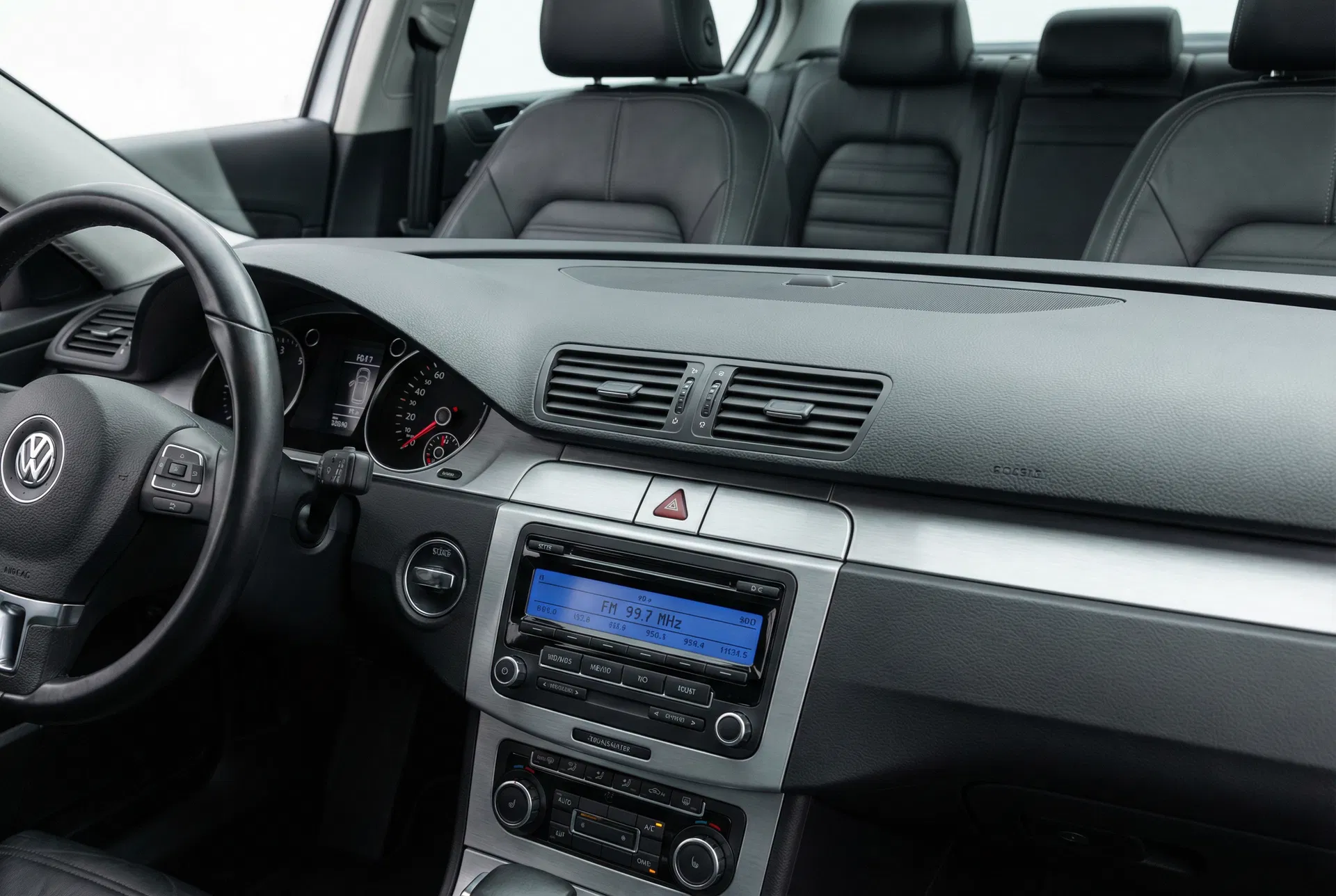
A typical Passat B6 interior with the RCD 310 radio — one of VW’s most widely fitted head units.
The Passat’s Radio Timeline
Volkswagen has used a consistent naming convention for its head units across the past two decades. The letters indicate the type of system: RCD (Radio CD) units are standard radios with CD playback, while RNS (Radio Navigation System) units include integrated satellite navigation. The three-digit number indicates the specification level — higher numbers generally mean more features.
RCD 310 — The Entry-Level Standard
The RCD 310 was the base radio fitted to Passat B6 and B7 models from approximately 2005 to 2014. It features a monochrome LCD display, a single CD slot, and AM/FM radio with RDS. It does not support Bluetooth, USB, or auxiliary input natively, though some later variants included an AUX socket on the front panel.
The RCD 310 uses a four-digit security code tied to its serial number. The serial number is printed on a sticker on the unit’s casing and begins with VWZ. If the code card has been lost, it can be retrieved using this serial number through an authorised dealer or an online code retrieval service.
RCD 330 and RCD 330 Plus — Mid-Range with Bluetooth
The RCD 330 was introduced as a mid-range option for the Passat B7 and CC. It added a colour display, Bluetooth hands-free calling, and — in the “Plus” variant — a Bluetooth audio streaming (A2DP) capability. The RCD 330 Plus also included a MirrorLink port, allowing compatible Android smartphones to display certain apps on the radio’s screen.
This unit is particularly popular as an upgrade for owners of older Passats fitted with the RCD 310, as it fits the same DIN slot and connects to the same wiring harness without modification.
RNS 315 — Entry-Level Navigation
The RNS 315 sits at the bottom of Volkswagen’s navigation range. It features a 5-inch colour touchscreen, SD card-based map storage, and Bluetooth. Unlike the higher-end RNS 510 and RNS 810, it does not include a DVD drive or a hard disk. Map updates are distributed on SD cards and can be purchased from Volkswagen dealers or authorised online suppliers.
The RNS 315 is a common fitment on mid-specification Passat B7 models and is also found in the Golf Mk6, Tiguan, and Touran. Its security code system works identically to the RCD units — a four-digit code tied to the unit’s serial number.
RNS 510 — The Premium Navigation Choice
For Passat owners who specified the top navigation package, the RNS 510 was the flagship option. It features a 6.5-inch touchscreen, a built-in hard disk for map storage, a DVD drive, and full Bluetooth connectivity. The hard disk can store music files ripped from CDs, and the system supports voice control for navigation and media functions.
The RNS 510 is a sophisticated unit and its security code system reflects this — the code is stored in the unit’s internal memory and can only be retrieved using the serial number from the unit’s label or through a VW dealer with access to the manufacturer’s database.
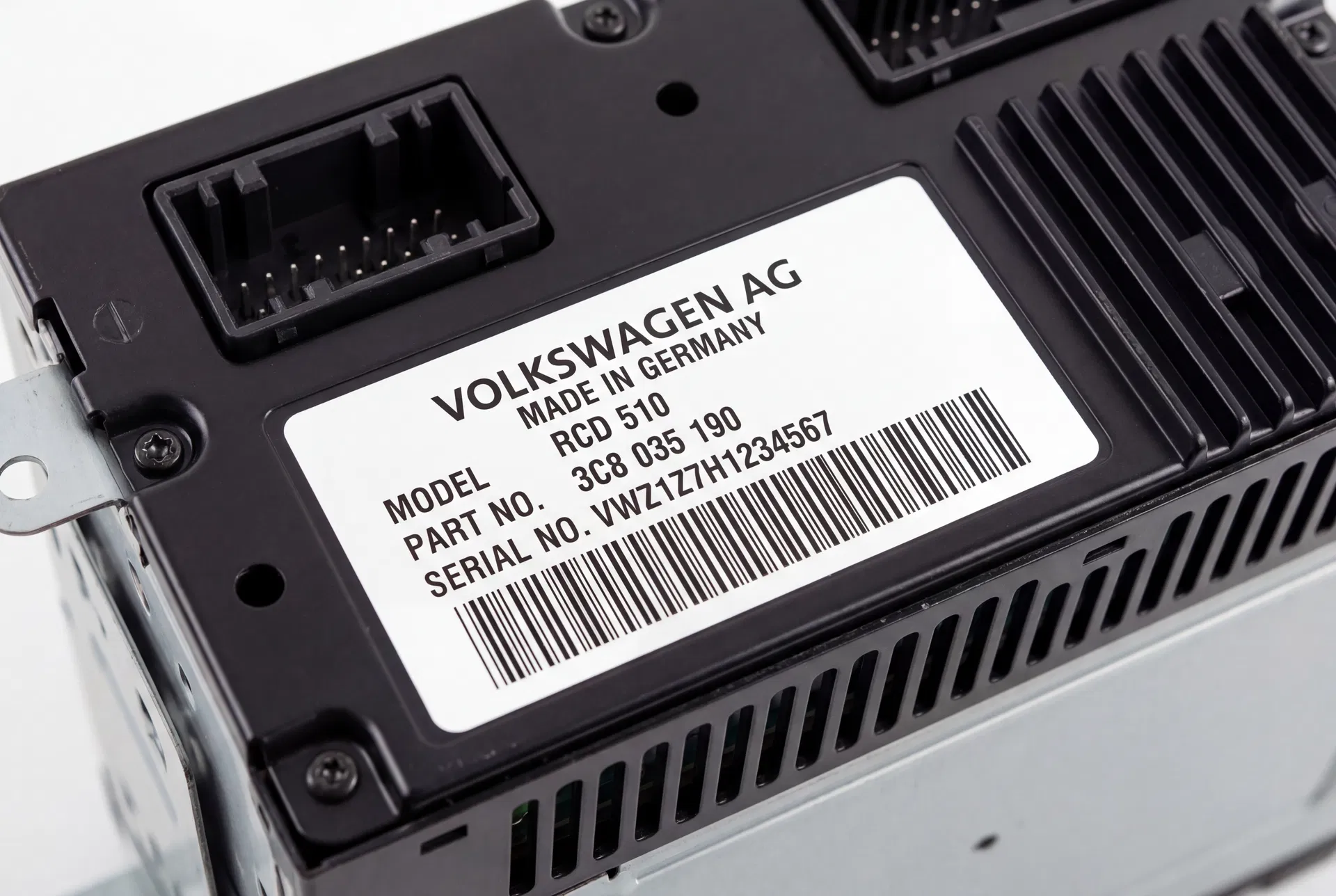
The serial number sticker — always starting with VWZ — is the key to retrieving your radio code.
How to Identify Your Passat’s Radio
The quickest way to identify your unit is to look at the front panel. The model name is usually printed in small text at the bottom of the display or on the faceplate itself. If the unit has been removed, the model number appears on the label on the top or side of the casing.
Alternatively, you can check the vehicle’s original specification sheet or the sticker inside the driver’s door jamb, which lists the factory-fitted options including the radio code.
Retrieving Your Radio Code
Regardless of which Passat radio you have, the process for retrieving a lost code is the same. You will need the unit’s serial number, which is found on the label on the unit’s casing. This serial number is used to look up the corresponding code in the manufacturer’s database. Our service provides this lookup quickly and without the need for a dealership appointment.
Once you have the code, entering it is a matter of using the preset buttons to select each digit in sequence, then confirming with the appropriate button as described in your vehicle’s owner’s manual.