Introduction
The Volkswagen RCD 510 represents a significant milestone in automotive infotainment technology. Introduced in the mid-2000s, this factory-installed radio system became the standard across multiple VW Group brands including Audi, Skoda, and SEAT.
What is the RCD 510?
The RCD 510 is a sophisticated in-dash entertainment system that combines AM/FM radio reception with CD/MP3 playback capabilities.
Key Technical Specifications:
- Display: 4.3-inch color LCD touchscreen
- Audio Formats: MP3, WMA, AAC, FLAC
- Connectivity: Bluetooth, USB, AUX input
- Security: Anti-theft code system with 4-digit PIN
Understanding the Anti-Theft System
The RCD 510 security mechanism is designed to render the radio inoperable if it is removed from the vehicle without proper authorization.
The SAFE Mode Phenomenon
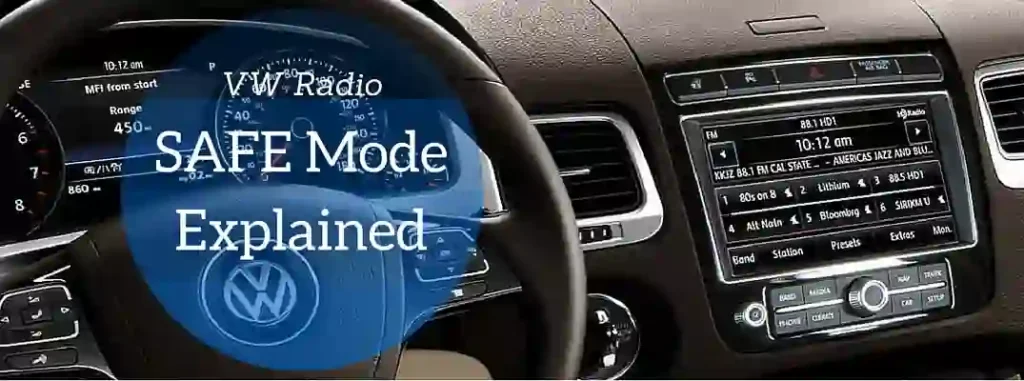
If an incorrect code is entered three times consecutively, the radio enters SAFE mode, which temporarily disables the unlock function for one hour.
Legitimate Unlock Methods
Method 1: Using Your VW Service Record
If you have documentation from an authorized Volkswagen dealership showing you are the registered owner, the dealership can retrieve your original security code from their database.
Method 2: Contacting Volkswagen Customer Service
Volkswagen maintains centralized records of security codes. By calling their customer service line with proper identification, you may be able to retrieve your code.
Method 3: Professional Radio Unlock Services
Specialized automotive electronics technicians can calculate your security code using proprietary software and your vehicle VIN. These services typically cost between 0-50.
Advanced Features You Might Not Know About
Voice Control Integration
The RCD 510 supports voice commands when properly configured with compatible phones. This allows hands-free operation of basic functions like answering calls or selecting radio stations.
Steering Wheel Control Compatibility
Most RCD 510-equipped vehicles feature steering wheel-mounted audio controls. These buttons allow you to adjust volume, change tracks, and switch audio sources without taking your hands off the wheel.
Smartphone Integration
Modern RCD 510 units support smartphone integration through Bluetooth, allowing you to stream music from apps like Spotify, Apple Music, or YouTube Music directly through your vehicle speakers.
Common Issues and Solutions
Issue: Radio Displays CODE Message
Cause: Battery disconnection or radio removal triggered the security system.
Issue: Bluetooth Connection Failures
Ensure your phone Bluetooth is enabled, delete the radio from your phone paired devices list, restart both devices, and re-pair them.
Issue: No Sound Output
Check if the volume is muted, verify audio source is selected, inspect speaker connections, and test with different audio sources.
Maintenance and Care Tips
- Regular Cleaning – Use a soft, dry cloth to clean the touchscreen monthly
- Software Updates – Check with your dealership for available firmware updates
- Connector Inspection – Periodically inspect the radio connectors for corrosion
- Temperature Management – Avoid exposing your vehicle to extreme heat
- Professional Service – If issues persist, consult a certified Volkswagen technician
Conclusion
The Volkswagen RCD 510 represents a well-engineered balance between user-friendly features and robust security. Whether you are troubleshooting common issues or exploring advanced features, understanding your RCD 510 capabilities will enhance your driving experience and help you maintain your vehicle infotainment system properly.