
The Volkswagen MIB2 (Modular Infotainment Toolkit, second generation) represents a significant step forward in VW’s approach to in-car technology. Introduced in 2015 and fitted across the Golf Mk7.5, Passat B8, Tiguan Mk2, and numerous other models, the MIB2 platform brought a faster processor, a larger touchscreen, and a more intuitive interface to the VW range.
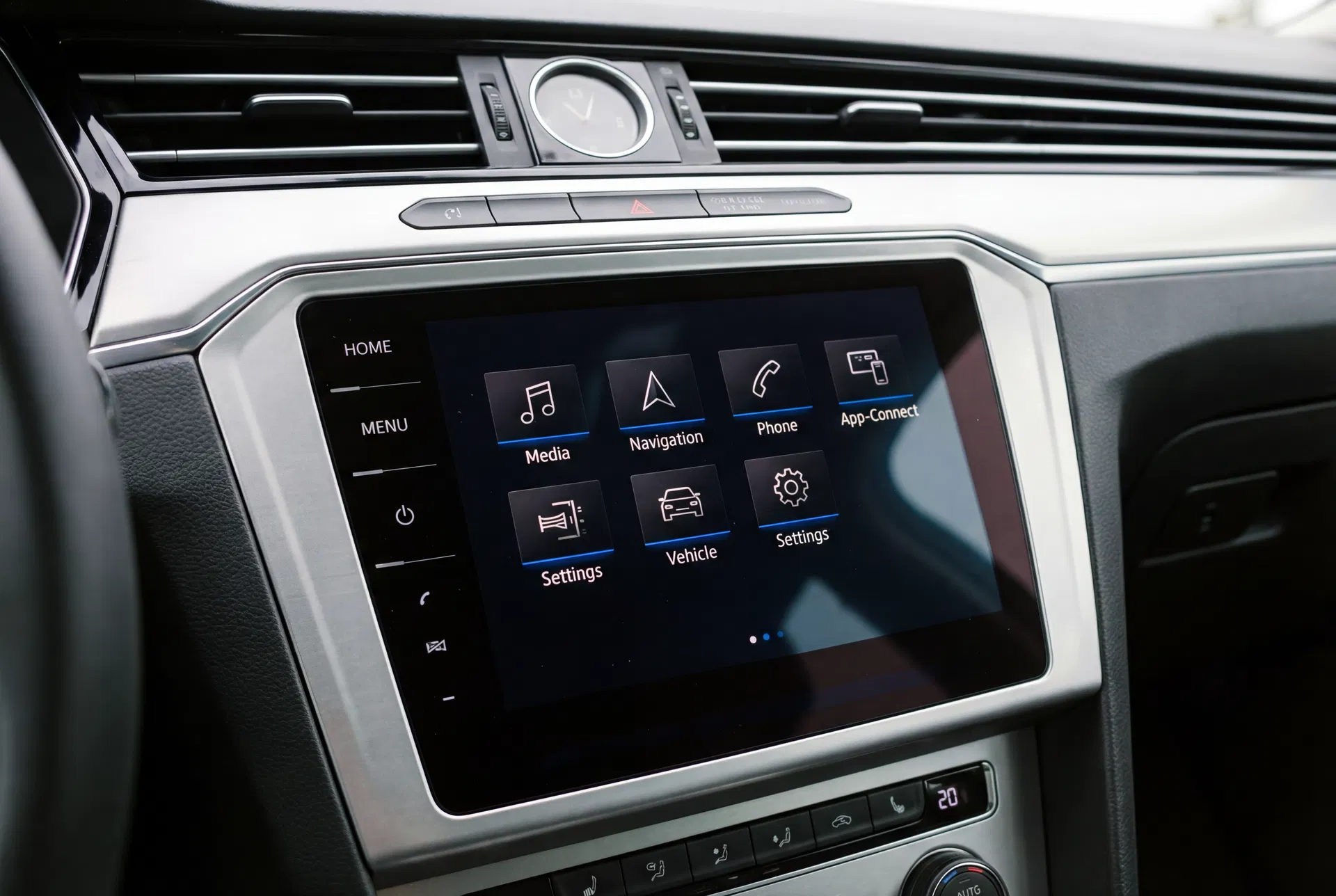
The MIB2 home screen — a clean, tile-based interface that organises media, navigation, phone, and vehicle functions.
What is the MIB Platform?
MIB stands for Modular Infotainment Toolkit (Modularer Infotainment Baukasten in German). It is a hardware and software platform developed by the Volkswagen Group and used across VW, Audi, Skoda, and SEAT vehicles. The platform approach allows VW to use common hardware components across multiple brands while customising the software interface for each brand’s identity.
The first generation (MIB1) was introduced around 2012 and was fitted to Golf Mk7, Polo Mk5, and other models. The MIB2 followed in 2015 with a faster Qualcomm processor, improved graphics performance, and support for the new App-Connect feature (VW’s implementation of Apple CarPlay and Android Auto).
MIB2 vs MIB2.5 — The Subtle Differences
Volkswagen introduced a revised version of the MIB2 platform — informally known as MIB2.5 — around 2017. The main differences are internal: the MIB2.5 uses a faster processor and supports wireless App-Connect on some variants. Externally, the two versions are nearly identical and use the same physical units.
Key Features of the MIB2 System
The MIB2 brought several notable improvements over its predecessor:
- App-Connect — Full support for Apple CarPlay and Android Auto, allowing smartphone apps to be displayed and controlled through the car’s touchscreen.
- Gesture control — On some variants, the system supports swipe gestures on the touchscreen for volume control and track skipping.
- Voice control — Improved natural language voice recognition for navigation input, phone calls, and media control.
- Online services — Integration with VW’s Car-Net platform for real-time traffic, weather, and fuel price information (requires an active subscription).
- Rear-view camera integration — Seamless integration with the optional reversing camera, with dynamic guide lines that move with the steering.
MIB2 Unit Variants
The MIB2 platform encompasses several different head unit variants, identified by their display size and feature set:
| Model Name | Screen Size | Navigation | App-Connect |
|---|---|---|---|
| Composition Colour | 6.5″ | No | Yes |
| Composition Media | 8″ | No | Yes |
| Discover Media | 8″ | Yes (SD card) | Yes |
| Discover Pro | 9.2″ | Yes (HDD) | Yes |
Radio Code and Security on MIB2 Units
MIB2 units retain the VW Group’s anti-theft code system, though the implementation is slightly different from older units. The security code is stored in the unit’s internal memory and activates after a power interruption. However, on MIB2 units, the code entry interface is presented through the touchscreen rather than via physical buttons.
When the MIB2 loses power and restarts, it will display a numeric keypad on the touchscreen and prompt for the security code. Enter the four-digit code using the on-screen keypad and confirm with the OK button. If the code is correct, the system will resume normal operation immediately.
Retrieving the Code for a MIB2 Unit
The serial number for a MIB2 unit can be found in the system’s settings menu under System → Version Information. This avoids the need to remove the unit from the dashboard in most cases. The serial number begins with VWZ and can be used to retrieve the corresponding code through our online service or through a VW dealer.
Common MIB2 Issues and Solutions
Despite its generally good reliability, the MIB2 does develop certain issues over time:
- Touchscreen unresponsiveness — Usually resolved by a system restart (hold the power button for 10 seconds).
- App-Connect connectivity issues — Often caused by a faulty USB cable. Use a high-quality, data-capable cable rather than a charge-only cable.
- Navigation map update failures — Ensure the SD card is formatted correctly and that the map files are not corrupted.
- Bluetooth pairing problems — Delete the existing pairing on both the phone and the head unit, then re-pair from scratch.