
The Volkswagen Polo has been one of Europe’s best-selling cars for over four decades, and throughout its production history it has been fitted with a succession of factory radio systems that reflect the evolution of in-car technology. From the simple cassette radios of the 1990s to the touchscreen infotainment systems of today, the Polo’s audio history is a microcosm of the broader story of car entertainment.
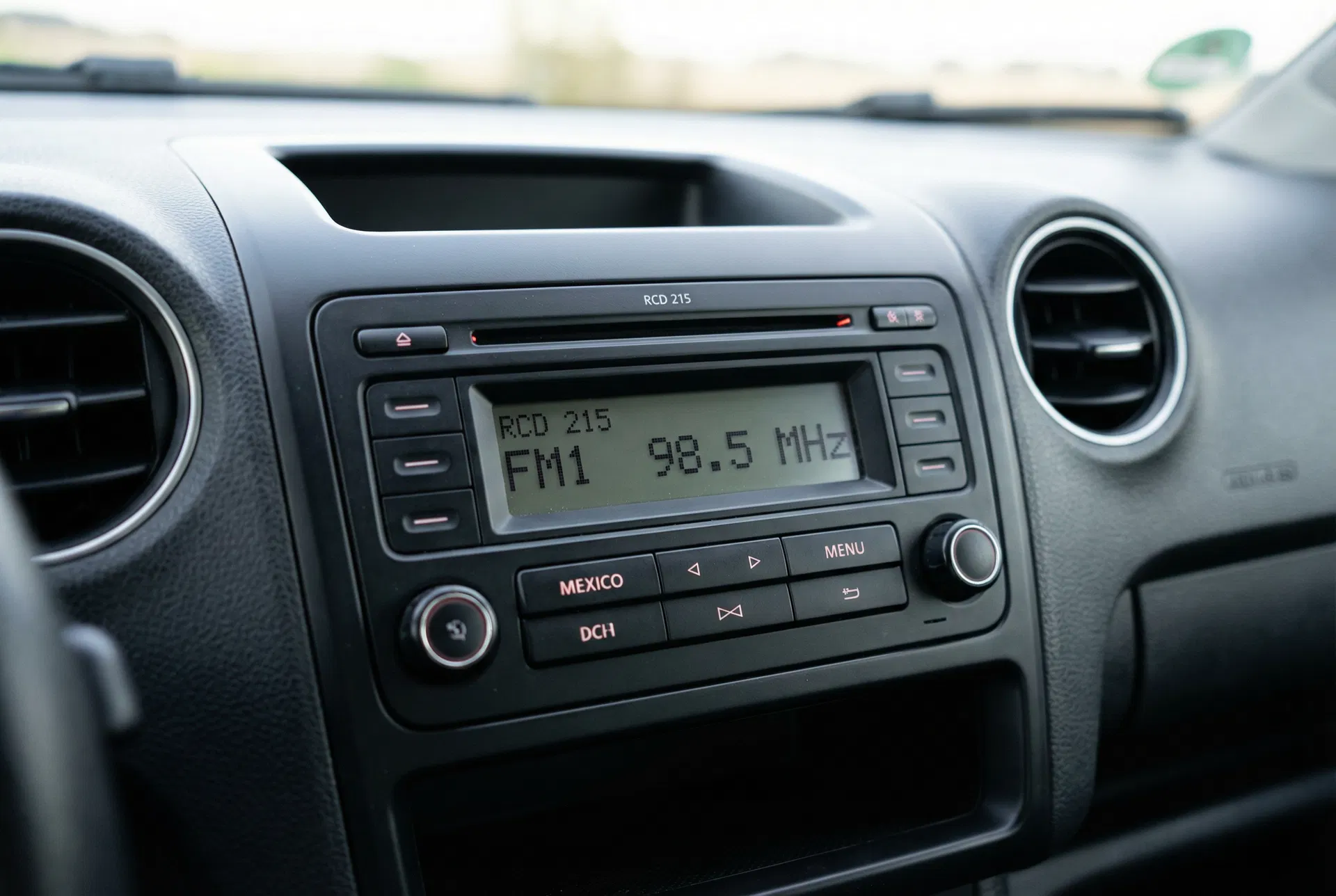
The RCD 215 in a Polo — a compact, functional unit that served the model well through the mid-2000s.
Early Polo Radios (1994–2001): The Cassette Era
The Polo Mk3 and its variants were typically fitted with simple single-DIN radios that combined AM/FM reception with cassette playback. These units, often badged as Radio or Radio Cassette, were basic but reliable. They did not feature CD playback or RDS, and the anti-theft code system — if present at all — was a simple PIN that was often written in the owner’s manual.
Polo Mk4 (2001–2009): The CD Radio Arrives
The Polo Mk4 introduced CD radio as standard on most trim levels. The most common units were the RCD 200 and RCD 215. These single-DIN units featured a dot-matrix display, a single CD slot, and AM/FM radio with RDS. They were compact, well-built, and easy to use.
The RCD 200 and 215 use a four-digit security code tied to the unit’s serial number. The serial number is printed on a sticker on the unit’s casing and begins with VWZ. These units do not support on-screen serial number display, so the radio must be removed to read the label.
Polo Mk5 (2009–2017): Bluetooth and USB Arrive
The Polo Mk5 brought a significant upgrade to the audio system lineup. The base unit was the RCD 215 or RCD 310, while mid-specification cars received the RCD 330 with Bluetooth and colour display. Top-specification Polo GTI and R-Line models were fitted with the RNS 315 navigation system.
The RCD 330 was a popular choice for Polo owners, offering Bluetooth hands-free calling and audio streaming in a compact package. It fits the same DIN slot as the earlier units and connects to the same wiring harness, making it a popular upgrade for owners of base-specification Polo Mk5s.
Polo Mk6 (2017–present): The MIB2 Era
The current Polo generation introduced the MIB2 infotainment platform to the model. Base cars receive the Composition Colour system with a 6.5-inch touchscreen, while higher specifications include the Composition Media with an 8-inch screen and App-Connect (Apple CarPlay and Android Auto).
The Polo Mk6 does not use a traditional DIN-slot radio. Instead, the infotainment system is integrated into the dashboard and cannot be removed without specialist tools. The security code system is retained, however, and the code can be retrieved using the serial number found in the system’s settings menu.
Retrieving the Radio Code for Your Polo
The process for retrieving the radio code depends on which generation of Polo you own:
Polo Mk4 (RCD 200/215): Remove the radio using DIN tools and read the serial number from the label on the unit’s casing. The serial number begins with VWZ.
Polo Mk5 (RCD 310/330/RNS 315): Press and hold the appropriate button combination (varies by model) to display the serial number on screen, or remove the unit to read the label.
Polo Mk6 (MIB2): Navigate to Settings → System → Version Information to find the serial number without removing the unit.
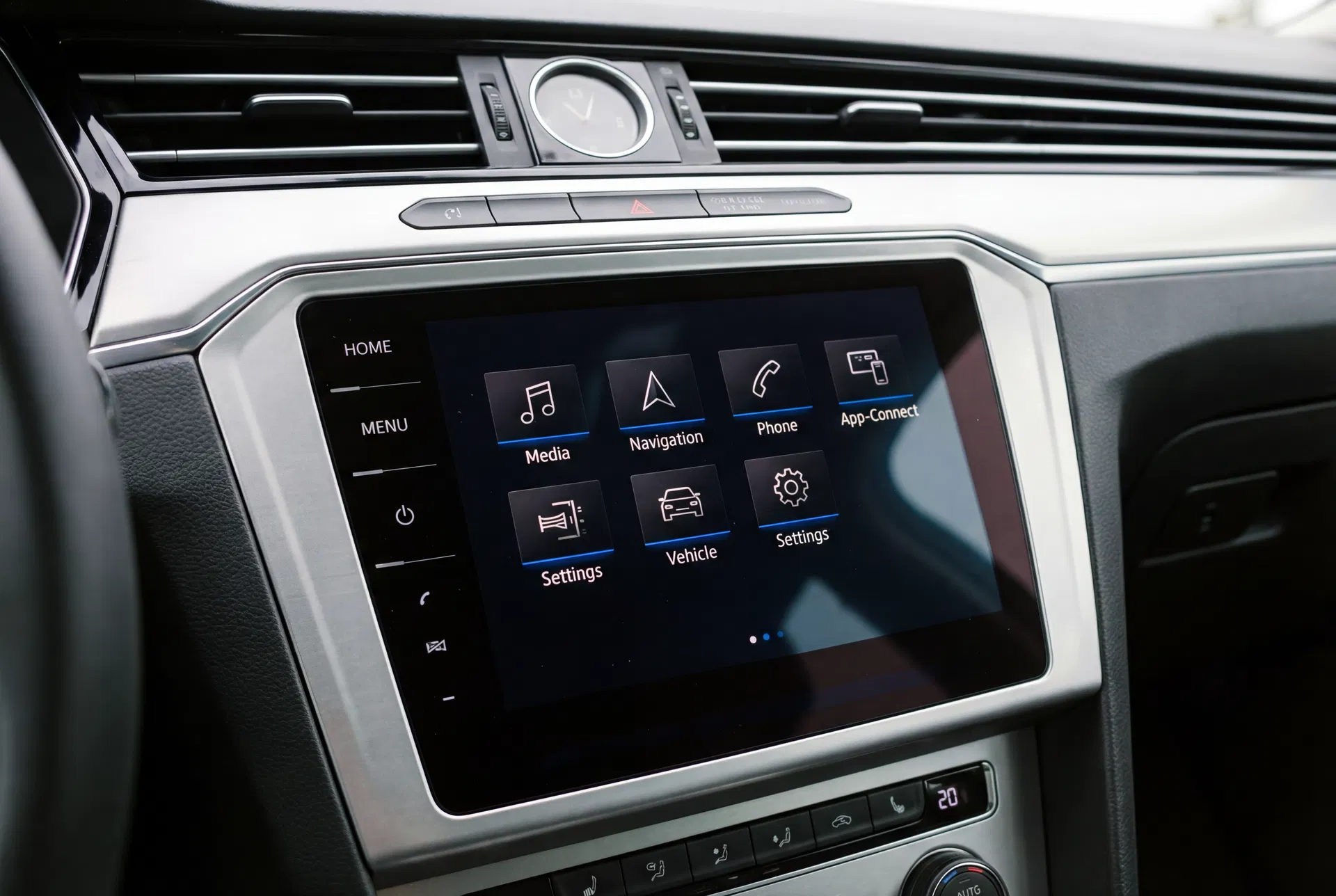
The MIB2 system as fitted to the Polo Mk6 — a modern touchscreen interface with App-Connect support.
Entering the Code on Different Polo Radios
The code entry method varies by unit generation. On older units (RCD 200/215/310), use the preset buttons to enter each digit. On the RCD 330, use the preset buttons or the touchscreen depending on the variant. On MIB2 units, a numeric keypad appears on the touchscreen when the code is required.
Always be careful to enter the correct code — three incorrect attempts will trigger a lockout period. If you are unsure of the code, retrieve it using the serial number before attempting entry.